Removing Stale Data from Targeting with Automate

An automation, triggered by webhook or scheduler, queries for all entries that contain a stale term in the field representing the targeting data. The contents of the field are filtered to remove the term, and the entries are updated.
Tactical Rundown
Content Type Definition
The content type should contain at least one field that stores an array of some kind. In this simple example, the field will be represented as a Select field with multiple selections available. The data could just as easily be stored in a JSON structure in a custom or other field. In this customer’s specific implementation, and more likely for real-world usage, the data is stored in a custom field with options supplied by an internal API.
Automation Definition
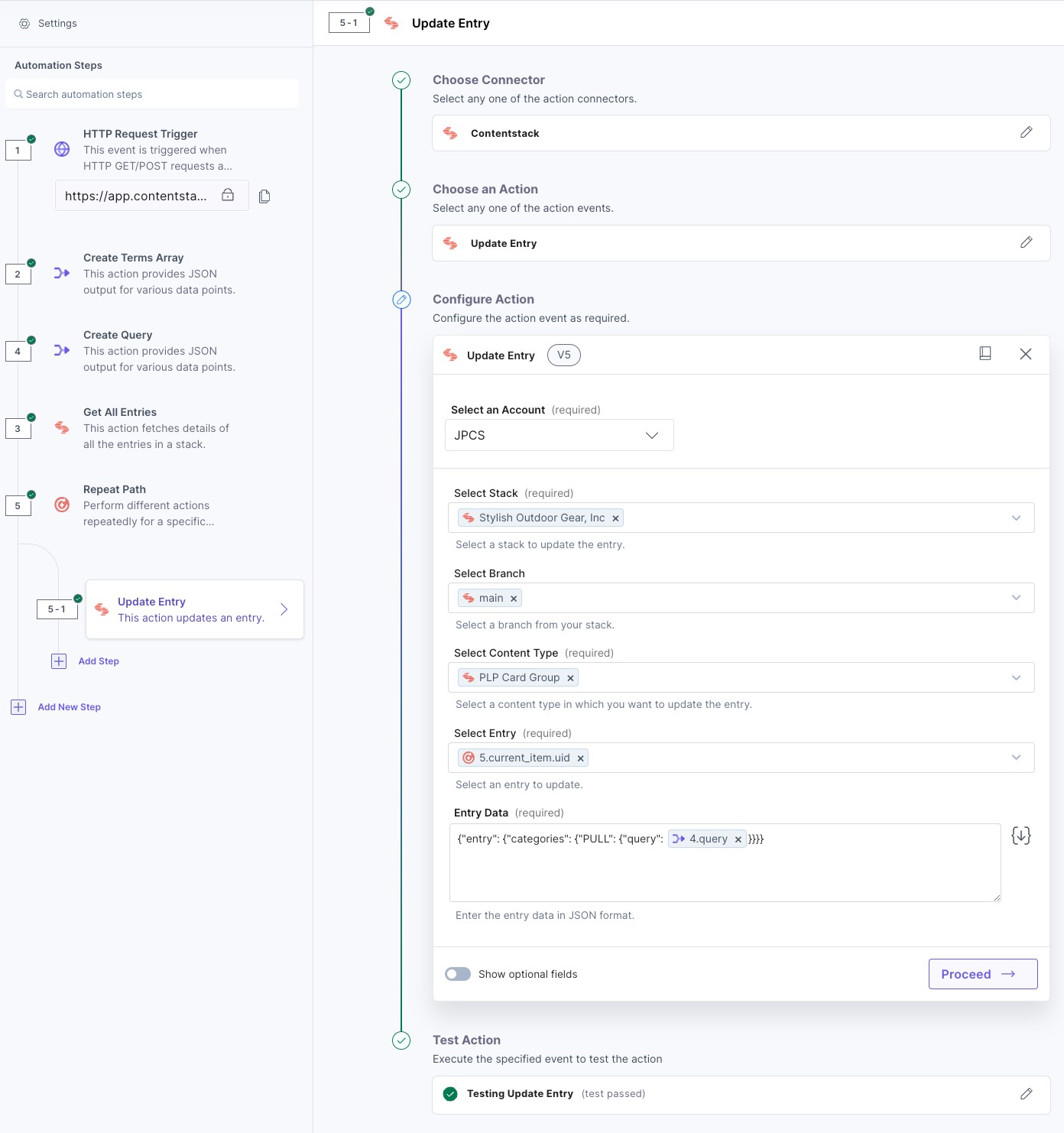
The first step of the automation, the trigger, can be defined in various ways depending on the needs of the customer. It could be triggered by the Scheduler for regular maintenance or by the HTTP trigger for action-specific maintenance.
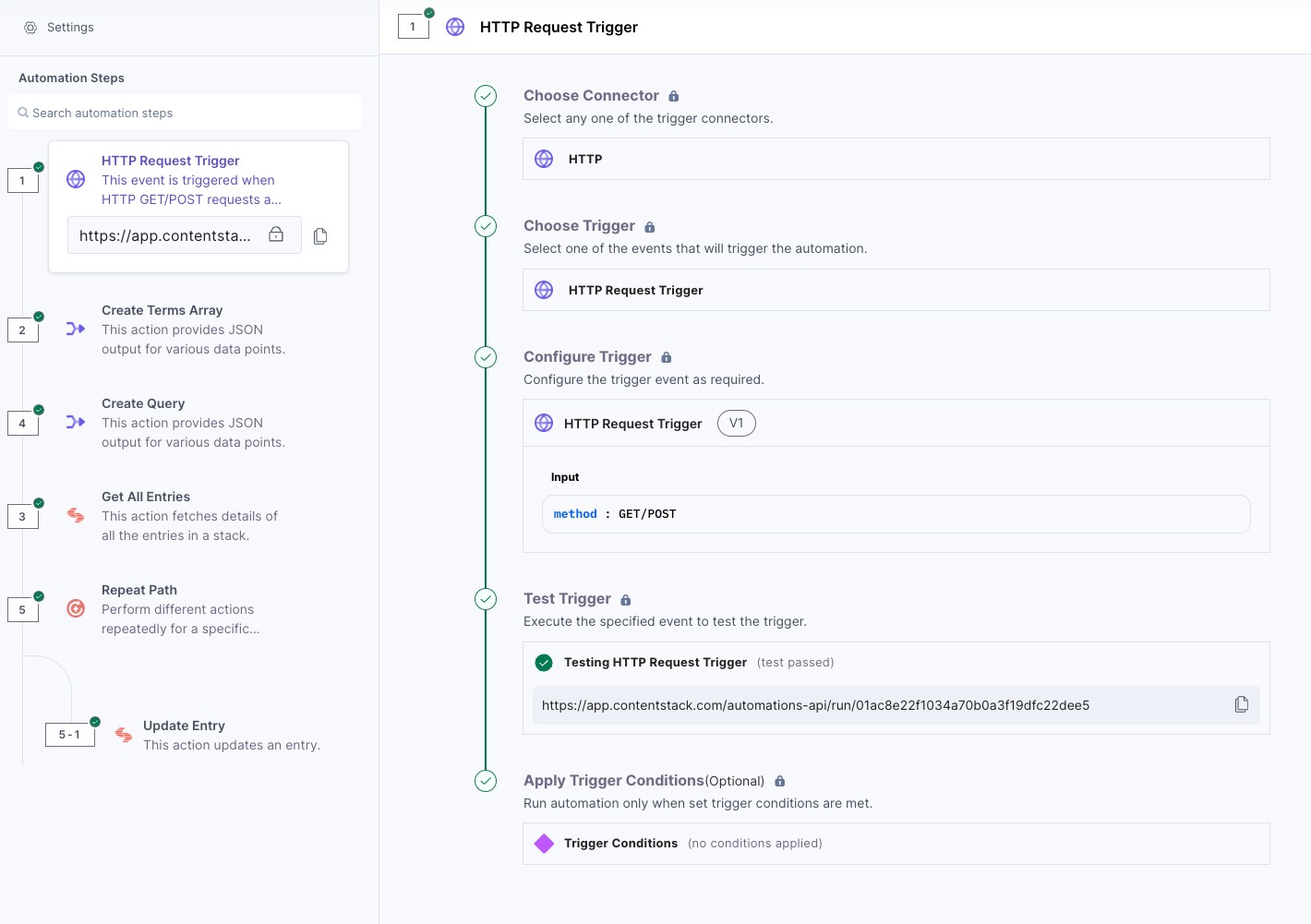
The automation needs to know which term to act on. A Scheduler-based automation would likely rely on the use of the HTTP action to fetch the term from an external API. An HTTP-based automation, like this example, can use a query parameter passed to the automation’s URL like so: https://app.contentstack.com/automations-api/run/551238742dcb442786c47c078fb6cdde?term=stale_category_one_stale_category_two
Note: These query terms aren’t defined by the automation; they need to be specified in the usage of the webhook URL.
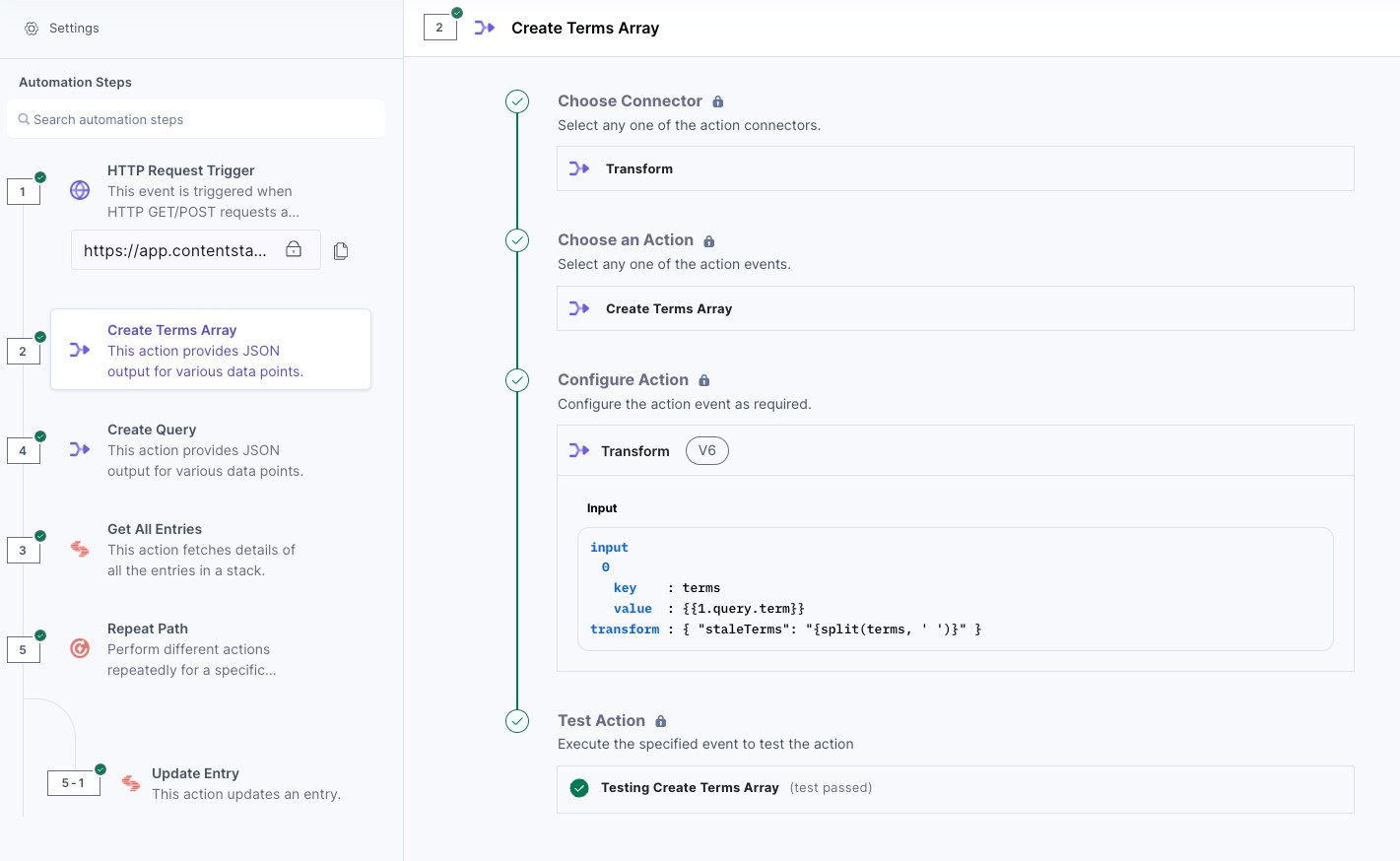
Assuming that the automation should accept multiple terms, the automation uses a Transform step to split the query string into an array.
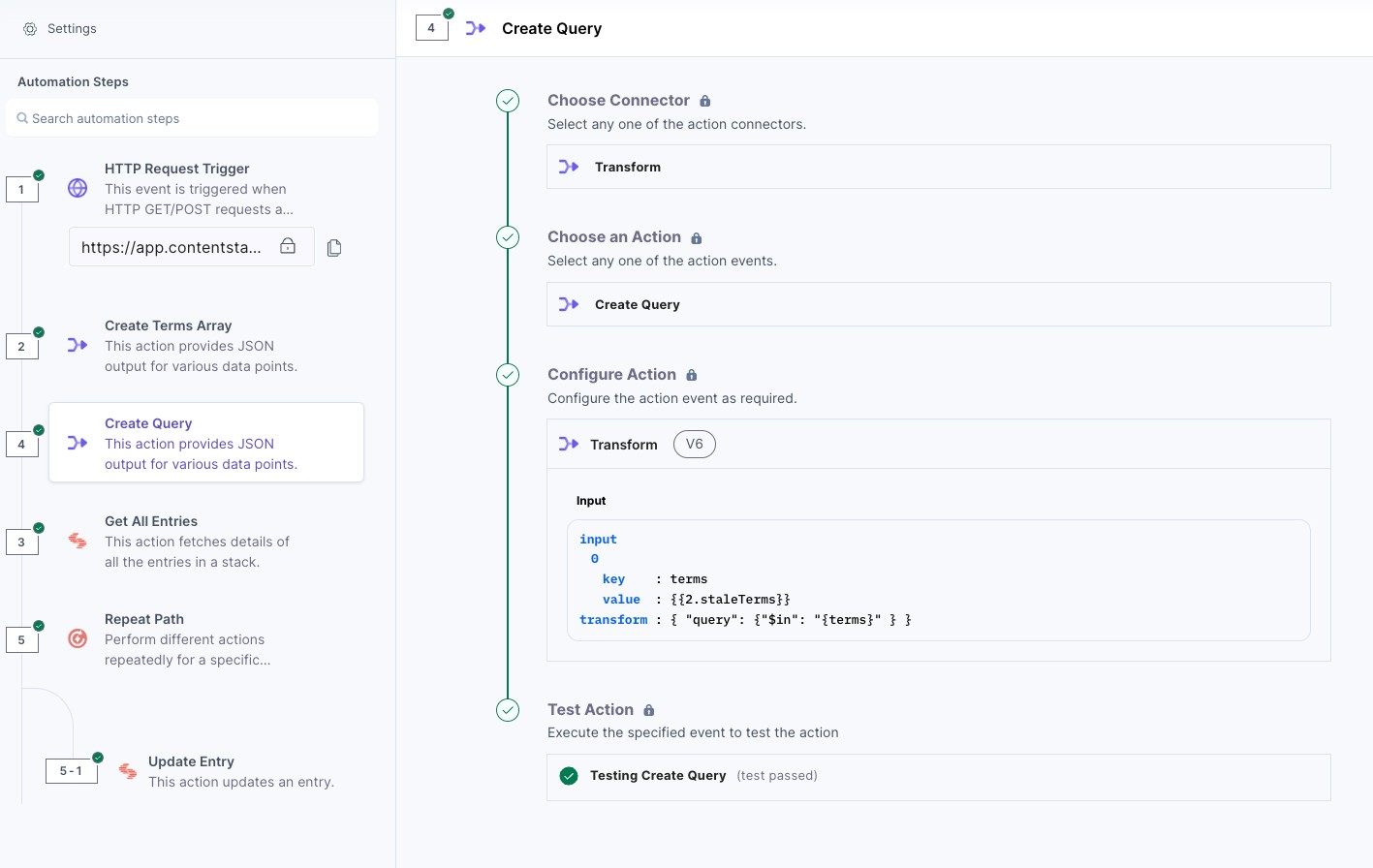
The automation needs to find all entries with the stale terms (to avoid updating all entries in the content type). To construct the query to match terms in an array, it’s necessary to use a Transform action.
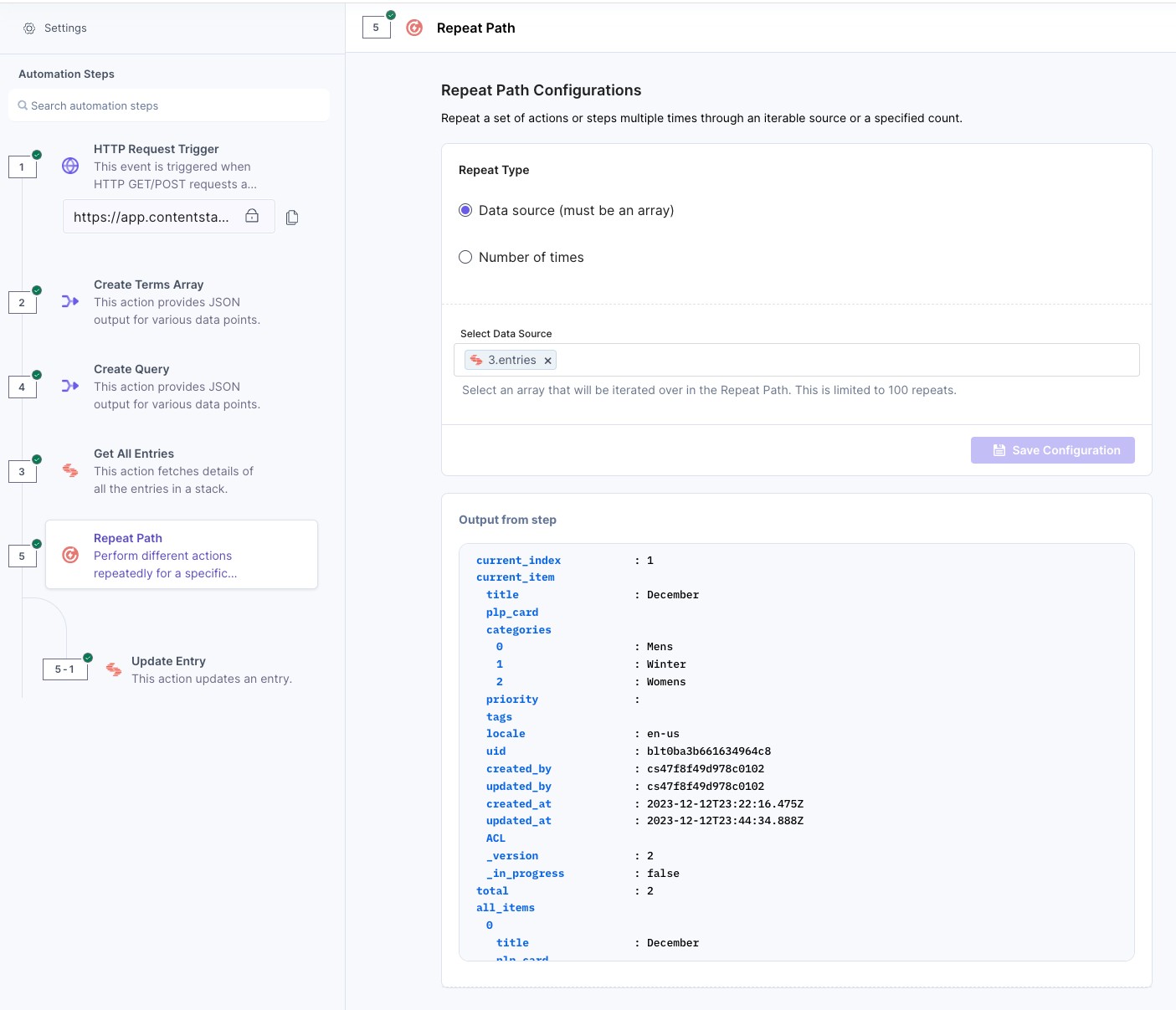
The Get All Entries action accepts the query defined previously and returns all entries with one or more of the stale entries.

A Repeat Path Action iterates over all entries returned by the Get All Entries step above.
An Update Entry action uses the same query defined in the above Transform step, combined with the Content Management API’s special “PULL” operation for array-based field data, to remove the stale values.
Frequently asked questions
How can the automation be triggered to remove stale data?
The automation can be triggered by a scheduler for regular maintenance or by an HTTP trigger for immediate, action-specific maintenance.
What type of field in the content type is required for this process?
The content type must contain a field capable of storing an array, such as a multiple selection field, custom field, or a field with a JSON structure.
How does the automation know which targeting terms are stale?
Stale terms can be provided either by fetching from an external API in scheduled automations or by passing them as query parameters in the HTTP trigger’s URL.